Call for Assistance: 02033 259 341

My Odoo Accounting liquidity transfers have the wrong exchange rate. How do I fix this?

November 5, 2026

My Odoo Accounting liquidity transfers have the wrong exchange rate. How do I fix this?

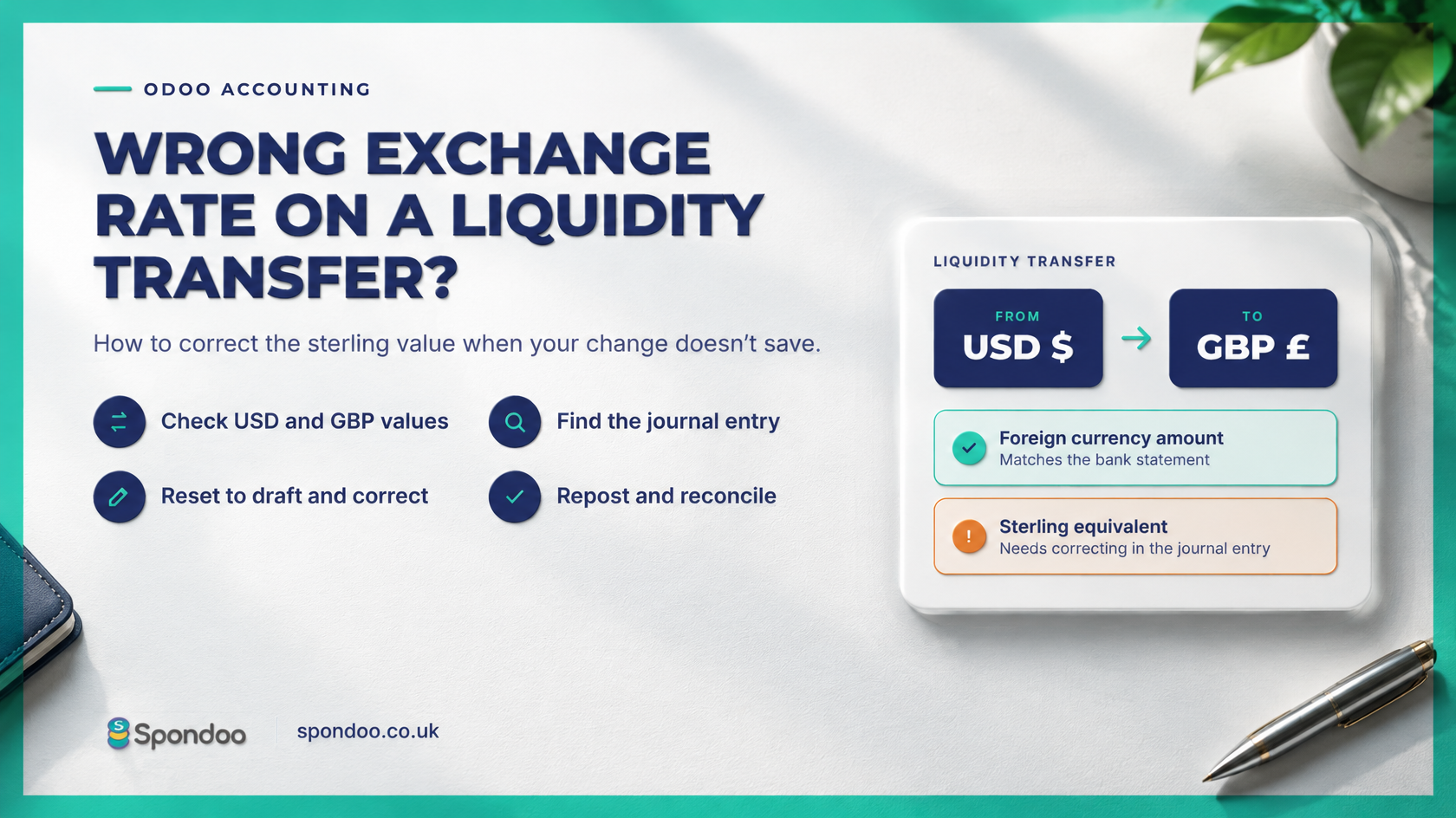
If you transfer money between bank accounts in different currencies, an incorrect exchange rate can leave the wrong sterling value in your accounts.

In Odoo, you may find that editing the liquidity transfer appears to save your correction, but the underlying accounting entry still shows the original amount. Here’s how to investigate and correct it.


Why does the transfer have two values?

Odoo records foreign currency bank transactions in both the bank account’s currency and your company’s base currency. For a UK business using GBP as its base currency, a US dollar transaction therefore has both a dollar amount and a sterling equivalent.

When checking a transfer, you need to review both figures. The foreign currency amount may be correct while its sterling equivalent needs correcting.


Why hasn’t my change saved?

You may initially spot the problem by opening your Balance Sheet, clicking into the relevant account and reviewing its Account Transactions.

From there, you might open the liquidity transfer, amend the currency conversion and click Save. However, in the situation covered here, returning to the account transactions shows that the underlying accounting values have not changed.

If this happens, you need to review the journal entry behind the transfer.


How to correct the liquidity transfer

Menu labels and available actions can vary depending on your Odoo version and access rights.

  1. Open Accounting and go to Journal Entries.
    Filter for the relevant bank journal, then locate the transfer using its date, reference and amount.
  2. Review the foreign currency and base currency amounts.
    Open the entry and inspect its journal items. If necessary, display the Currency and Amount in Currency columns alongside the debit and credit values.
  3. Open the entry relating to the foreign currency side.
    Depending on your screen, you may be able to access it by clicking the foreign currency amount or the linked journal entry.
  4. Select Reset to Draft.
    Where this action is available, it takes the entry out of its posted state so that you can make the correction.
  5. Correct the base currency value.
    Keep the foreign currency amount consistent with the actual bank transaction and amend the sterling equivalent to the correct amount. Check that the entry remains balanced and that any bank fees are recorded separately. See example here
  6. Save and post the entry again.
    Once you have checked the figures, repost the entry and complete any reconciliation required.
  7. Check the result.
    Return to the Balance Sheet and account transactions. Confirm that the corrected value now appears, both bank accounts agree to their statements and the transfer’s clearing entries reconcile correctly.

If Reset to Draft is unavailable, the entry may be restricted by your permissions, an accounting lock or its reconciliation status. Ask your accountant to review the restriction before proceeding.


Need help correcting foreign currency transfers?

An incorrect conversion can affect your bank balances, exchange gains and losses, and management accounts.

Spondoo Accountants helps UK businesses resolve Odoo accounting issues, including foreign currency transfers, bank reconciliation differences and incorrect journal entries.

If your liquidity transfer still shows the wrong sterling value after you save it, contact Spondoo through spondoo.co.uk. We can review the underlying entries, correct the accounting treatment and help keep your bank balances accurate.

more tips

Can You Claim Food as a Business Expense?

The golden rule when claiming business expenses is that the cost must be “wholly and exclusively” for business purposes. So, where do you stand when it comes to food and drink? After all, everyone needs these things to survive. When does it become an allowable expense? Read on to find out when your business can claim food and drink as an expense.
READ MORE

Self-Employed National Insurance Class 2 and Class 4 Rates

If you are sixteen and over, self-employed (sole trader or in a partnership) and making a profit befitting the ‘small profits threshold’, you are liable to pay national insurance.
READ MORE

Key UK Personal Tax Year Dates & Deadlines 2021/2022

Are deadlines creeping up on you? Spondoo is here to ensure you keep on top of things and take control again. These are the important dates you should take note of.
READ MORE

How To Set Up A Limited Company 

A Step-by-Step Guide  This is an easy-to-understand, step-by-step guide, to opening a successful limited company. But before we dive in, let’s check the legality surrounding it. 
READ MORE

Accountants in Haslemere, Surrey

We are qualified accountants providing personal and professional services for start-ups, established companies and individuals in and around the Haslemere area in Surrey. With the rise in technology, we have embraced the digitisation of accounting using efficient digital accounting tools to offer reliable services to our customers. Our goal remains to get our clients the best accounting and taxation services at the most affordable rates.
READ MORE

Onsite Canteen and Lunch Vouchers - Are They Taxable?

The provision of food and drink to an employee by their employer is a lovely thing to do. Eventually, it promotes teamwork, loyalty, a sense of belonging and even improves productivity. Taking it at face value makes it look like a simple act of kindness. However, unless it is done correctly, it can cause tax and national insurance compliance issues for the employer.
READ MORE
1 2 3 … 51
LEARN MORE
What the service includes, and how much it costs?
ACSP LOGO SPONDOOXERO GOLD PARTNERIFA
Information provided on this site is for general guidance only and may change in line with UK law and regulations. It should not be relied upon as financial advice or as the sole basis for making decisions. Accounting SQL Limited (trading as Spondoo) is authorised and regulated by the Institute of Financial Accountants (IFA).
© Copyright 2026 - Spondoo - All Rights Reserved
linkedin facebook pinterest youtube rss twitter instagram facebook-blank rss-blank linkedin-blank pinterest youtube twitter instagram